Voyager: A Chrome Extension for Managing Online Articles
Voyager is a free Chrome extension developed by perudayani that aims to help users efficiently manage their online reading material. As an add-on in the Browsers category, Voyager provides a convenient way to save, organize, and access articles from the web.
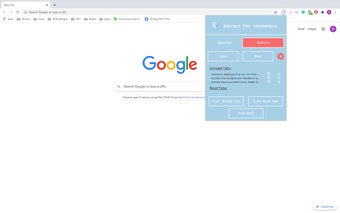
With Voyager, saving articles is as easy as clicking the "Save" button. Users can store website URLs of interesting articles for later reading. To keep track of unread articles, Voyager offers an expanded settings tab where users can view all the saved articles. From there, users have the option to remove or open an article.
For those seeking a serendipitous reading experience, Voyager offers the "Explore" button, which launches a random unread article. This feature allows users to discover new content without having to choose from their saved articles manually.
Once an article has been read, Voyager provides a "Read" button that allows users to mark the article as read by clicking it. The expanded settings tab also provides a convenient way to view all the saved read articles. Users can choose to move articles back to the unread section or open them again if needed.
In addition to its core features, Voyager allows users to clear their unread and read articles, providing a clutter-free reading list. Furthermore, users have the option to download their data for offline access.
Voyager is a reliable and user-friendly Chrome extension that offers a seamless way to manage online articles. Whether you want to save articles for later, explore new content, or keep your reading list organized, Voyager has got you covered.